View the Welcome Package, then fill in your in‑game name and click Start below.
3
Complete the Actions
Follow the instructions in each section below to finalize your setup.
Roles Setup
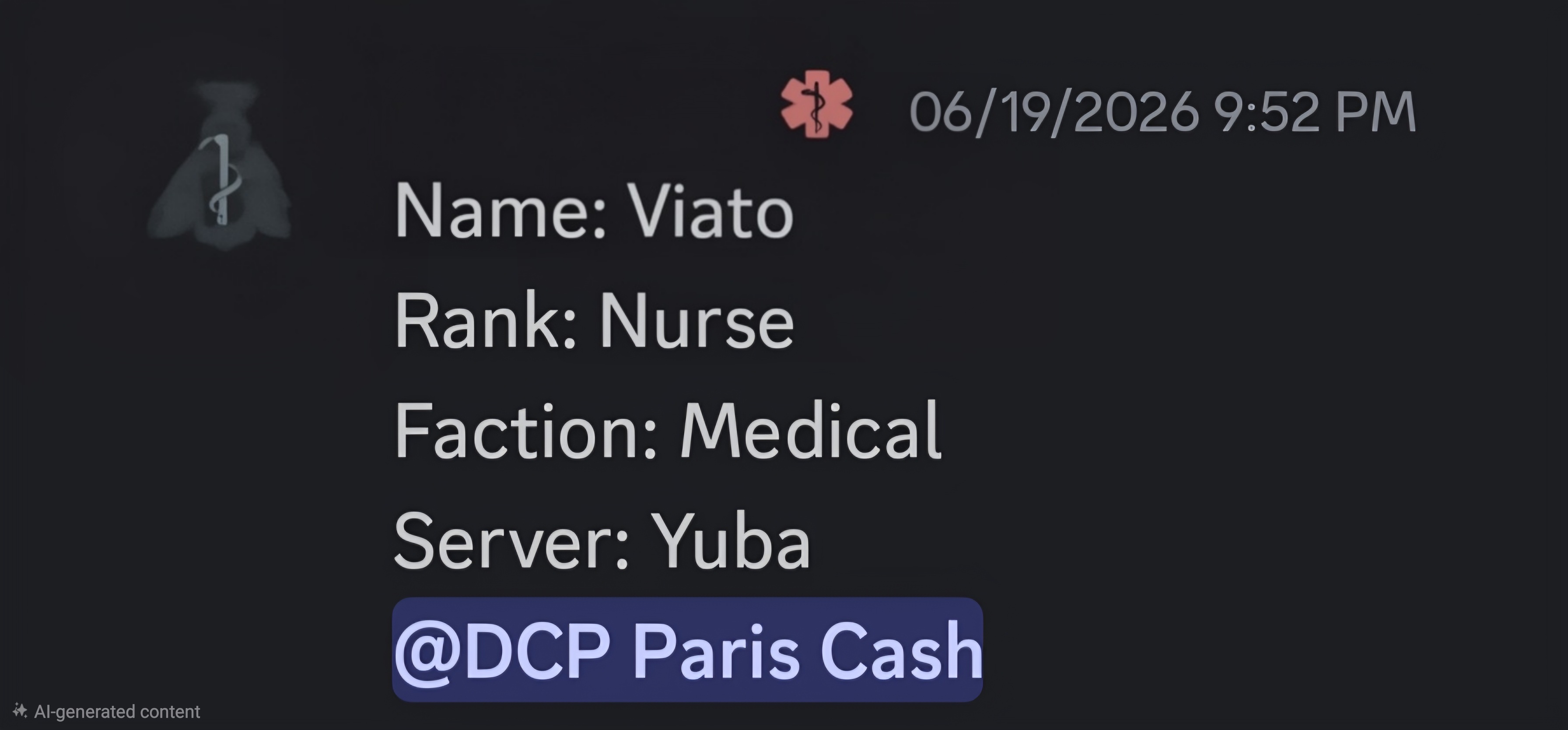
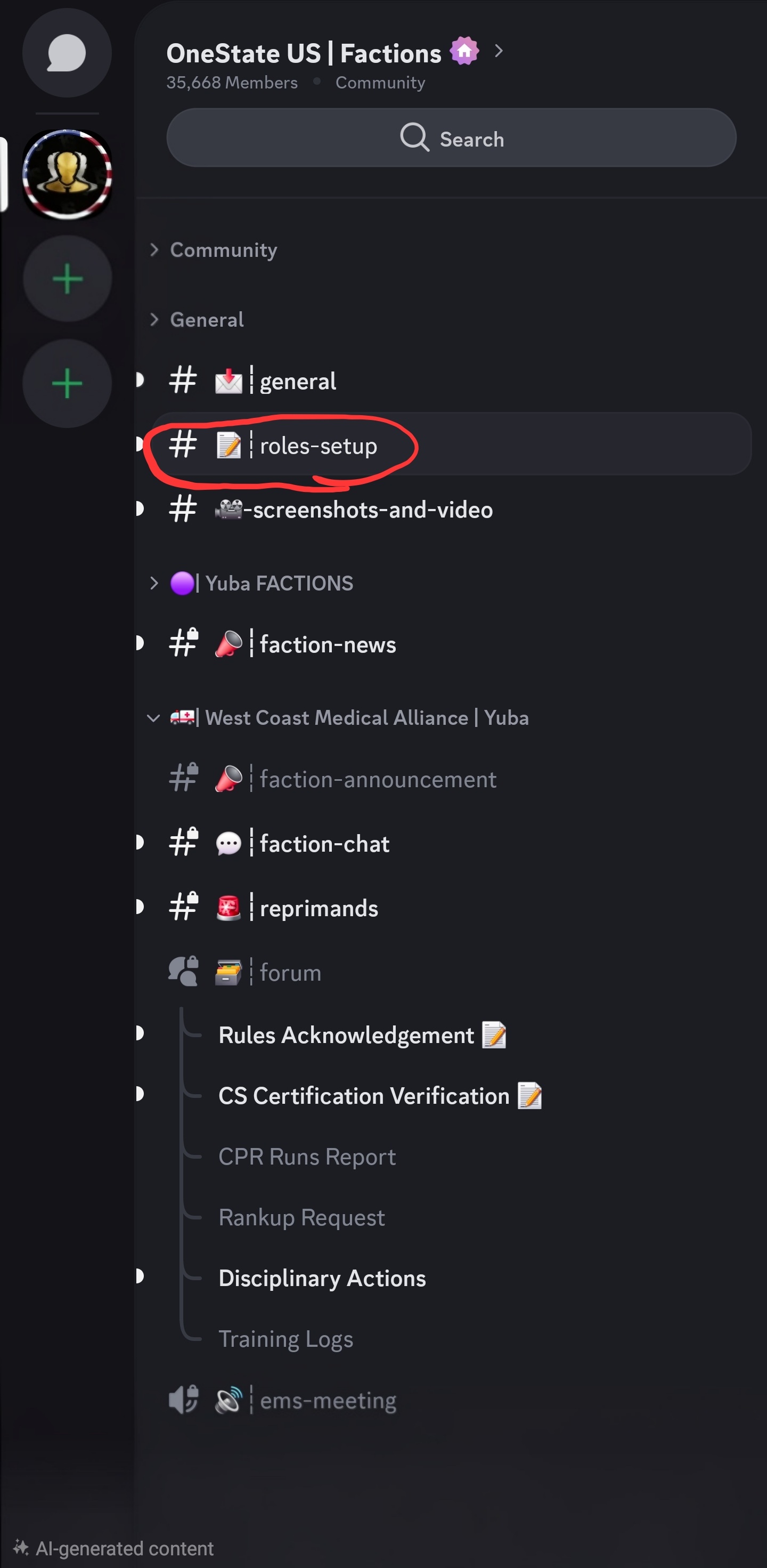
Copy the above text and paste it into the #roles-setup chat channel located Here. Your trainer will tell you who to @ tag so they can assign the proper role.
↓
Rules Acknowledgement
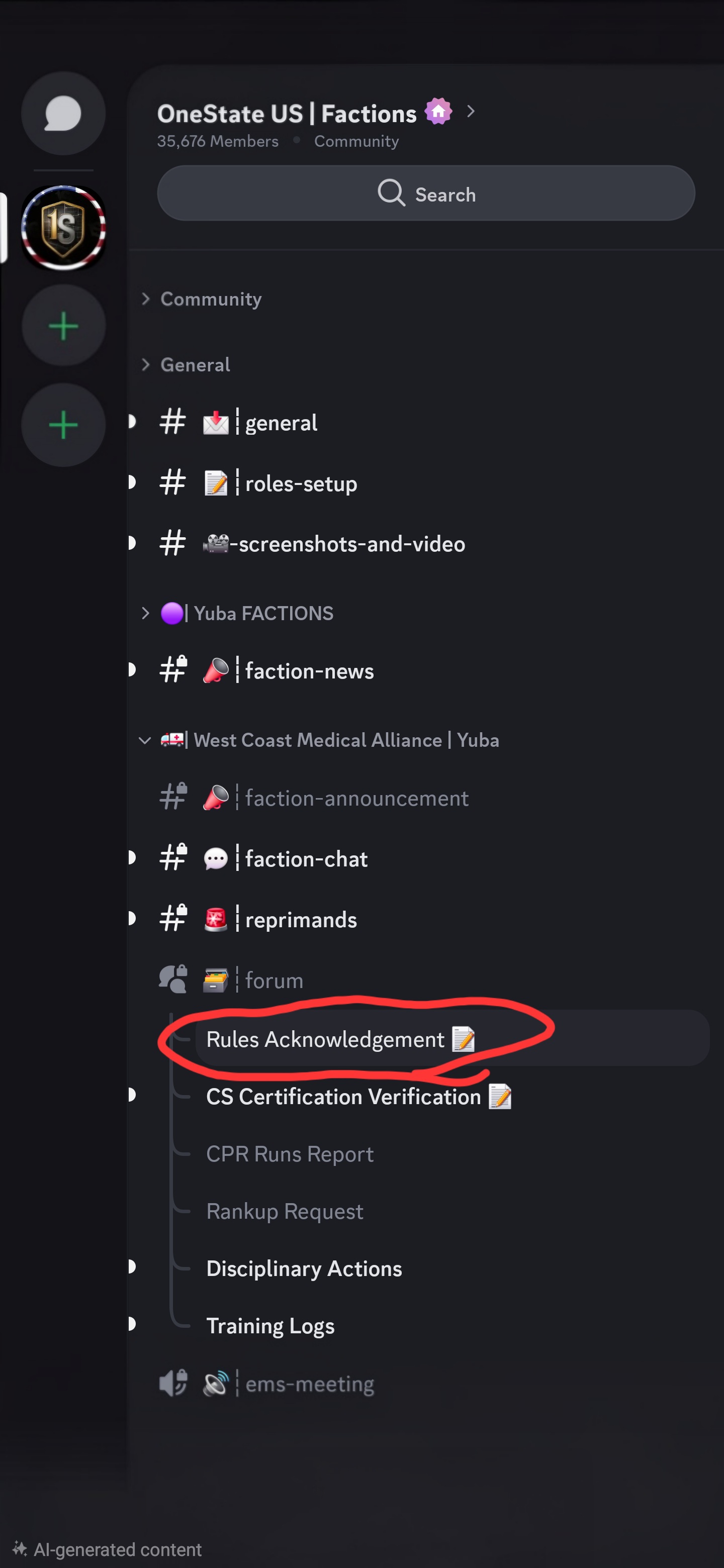
Copy the above text and paste it into the Rules Acknowledgement chat under the Forum section located Here.
CS Certificate (Communication Skills)
CS stands for Communication Skills. You will need to pass a series of tests at a specific in‑game location to obtain it.
Copy the above text and paste it into the CS Certification Verification chat under the Forum section located Here. Remember to upload the screenshot of your CS certificate directly in Discord alongside the text.
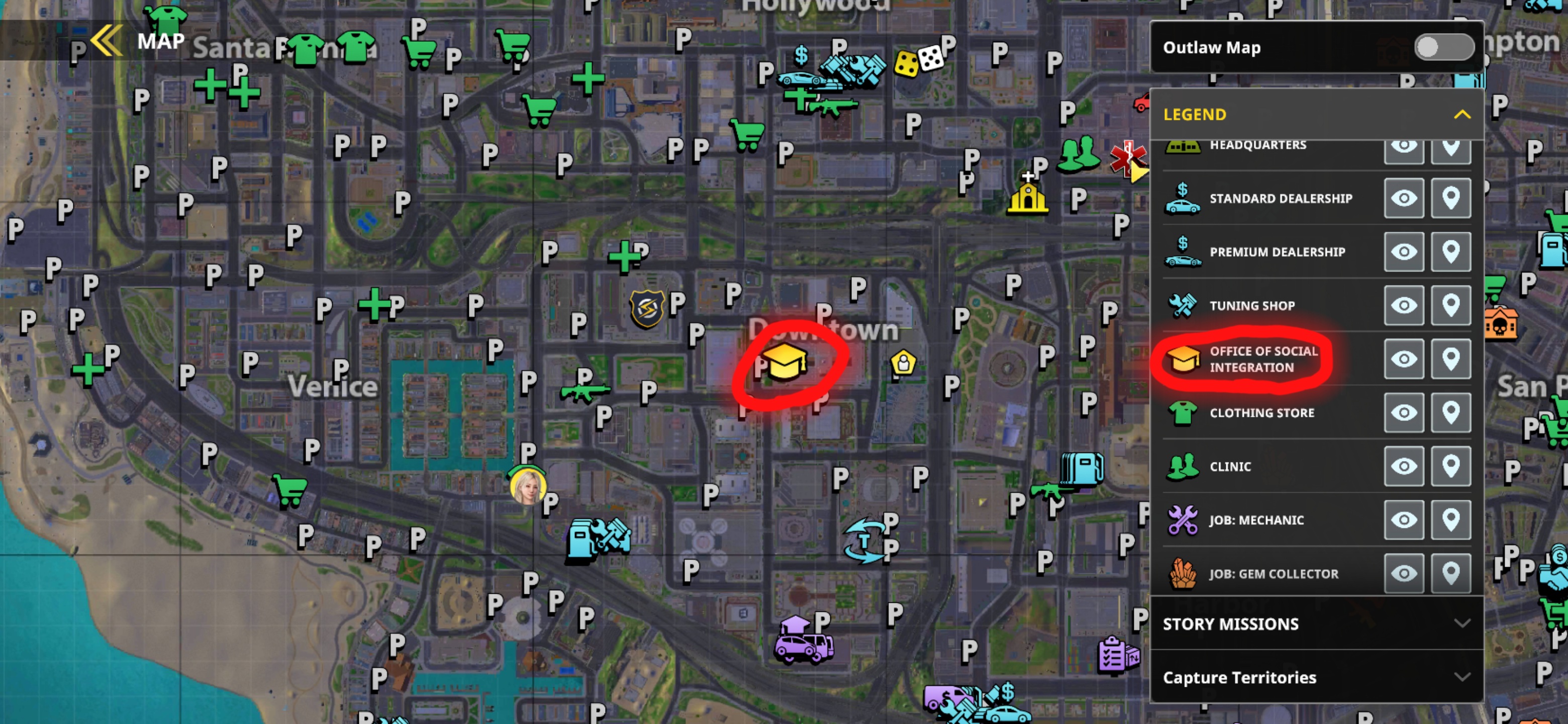
To get your CS Certificate, visit this in‑game location and complete the series of tests.
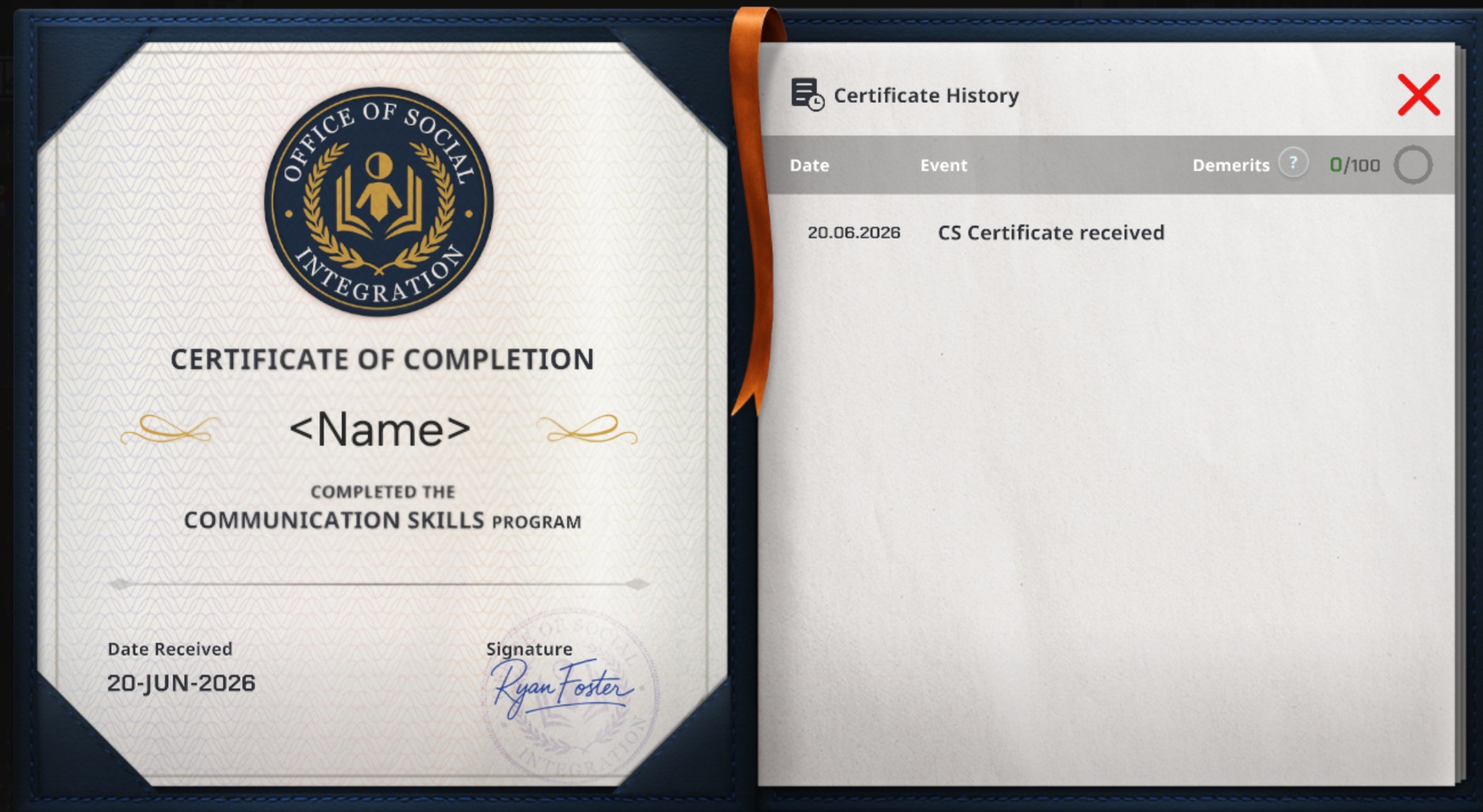
This is what the CS Certificate looks like in your inventory.